You can enjoy HovrPad with a free trial period! To continue using the Pro version beyond the trial period, you will need to purchase a valid license key. Our Pro License (Single User) allows you to install and activate the software on up to 2 machines, while the Team License covers up to 10 machines.
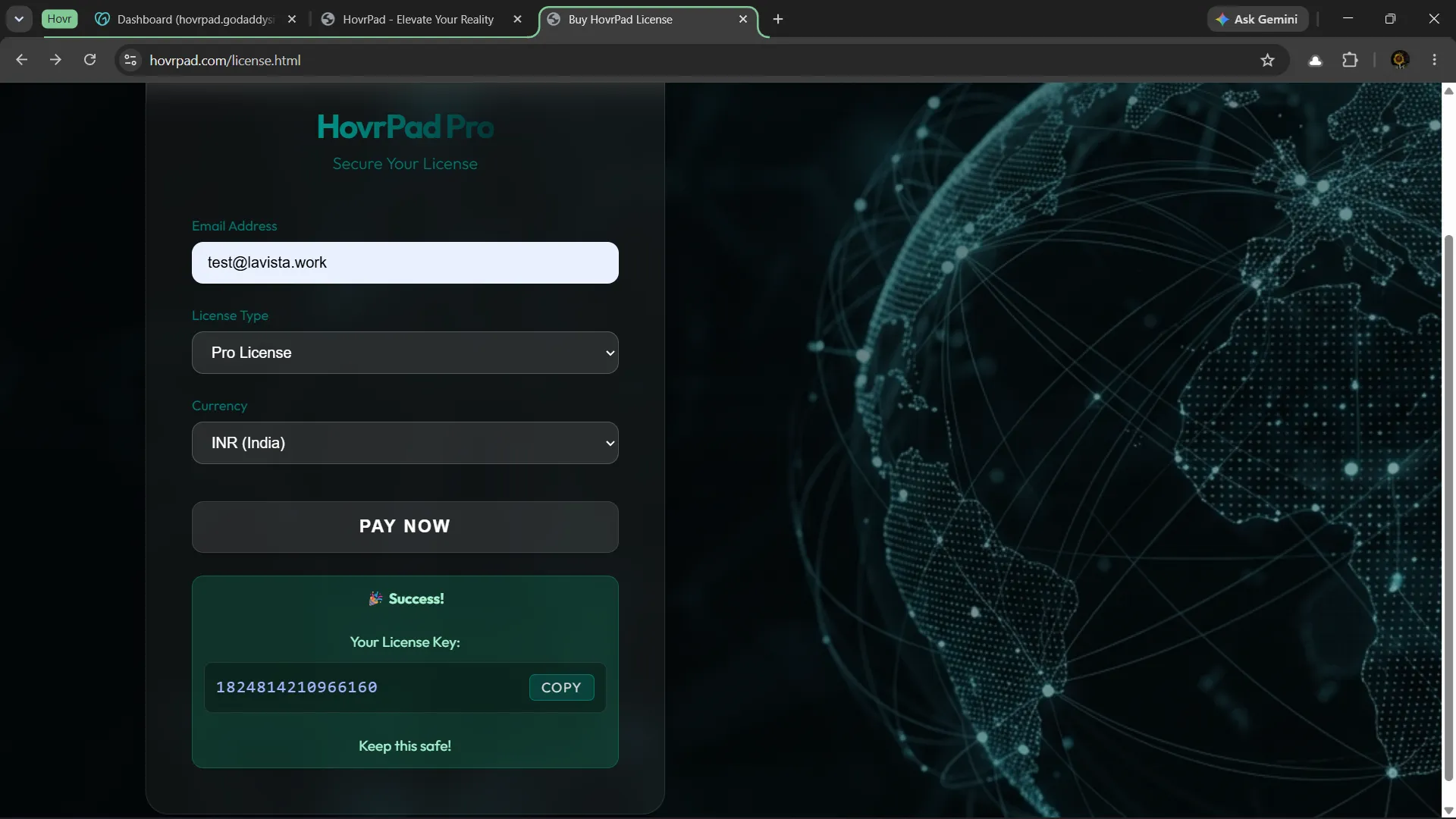
You can do this securely through our payment portal. After a successful purchase, your unique 16-character license key will be displayed on screen. Keep this key safe!
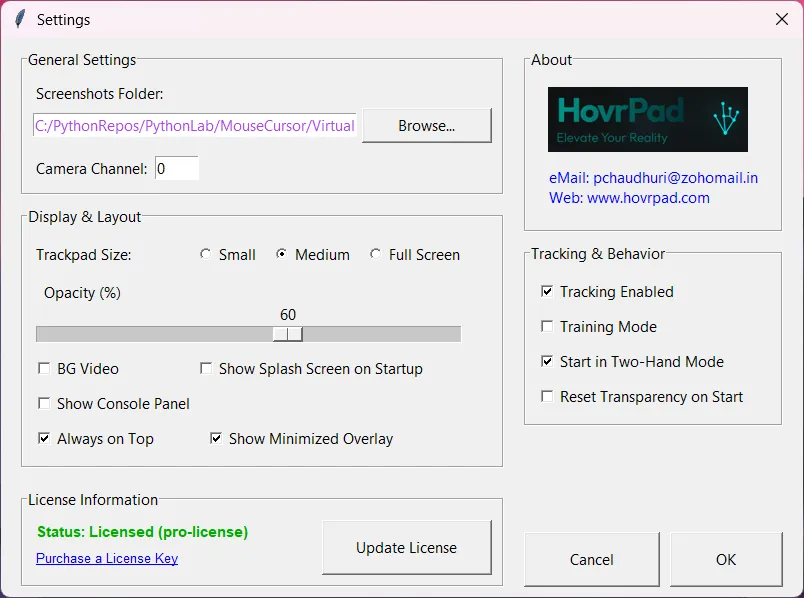
Open the HovrPad software on your device. Navigate to the Settings screen using the main menu (or simply press the 's' key shortcut when HovrPad is in focus).
In the Settings menu, if you haven't bought a license yet, you can click on the "Purchase a License key" link directly from this screen.
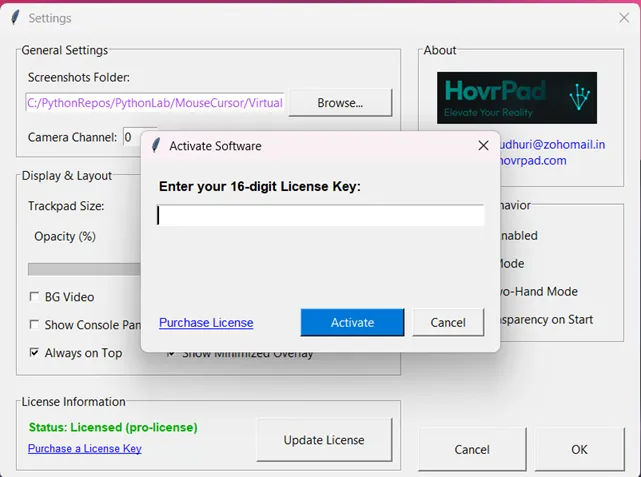
Once you have your key ready, press the Update License button and enter your 16-character license key into the box provided.
Note: You must have an active internet connection for this step so we can verify your key with our servers.
If your key is valid and has available seats, the software will successfully activate on your current device.
From this point on, your device is securely licensed and you can use the software completely offline without needing to reconnect.